
You have just purchased ESET for the first time, or you have just bought a new computer and need to install ESET. ESET can be downloaded and installed directly from their website at any time, without the need for a physical disk.
Follow these directions, and you'll be protected in no time:
License not yet activated
1. Open any web browser on your PC and navigate to www.home.eset.com
2. Create an account. You will want to make sure you use the same email address that was attached to your purchase.
3. Once you have an account created, you will want to click the Subscriptions link on the home page.
4. On the next page, click the button labeled Add or buy. If you have already activated your license or have a license from a previous computer, click here.
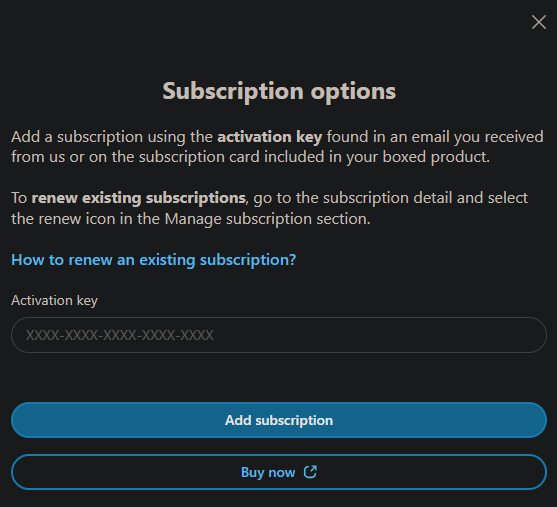
5. Input your activation key (make sure to include the -) and click "Add subscription".
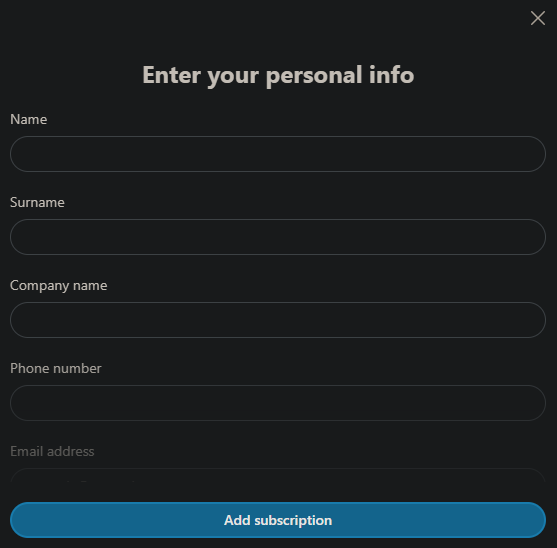
6. Fill out your info to register the license, and then click "Add Subscription."
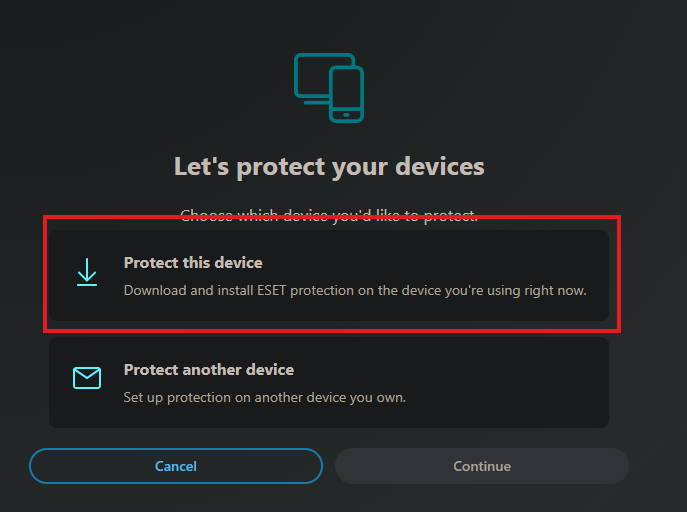
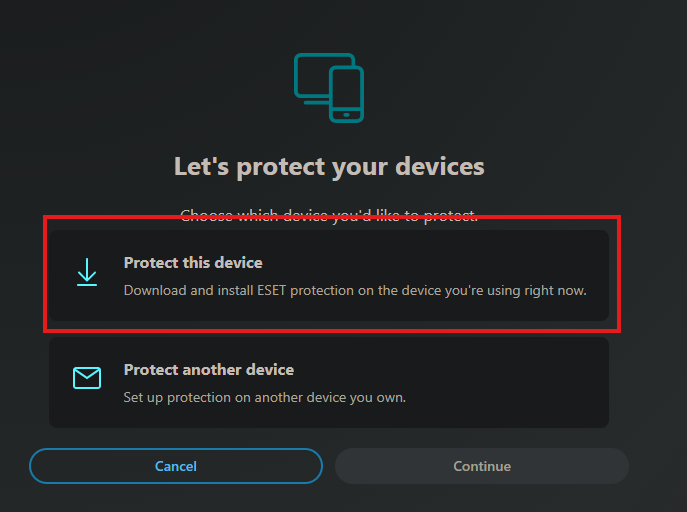
7. Once done, click "Add subscription". Then click add protection on the next screen, choose yourself, then click protect this device!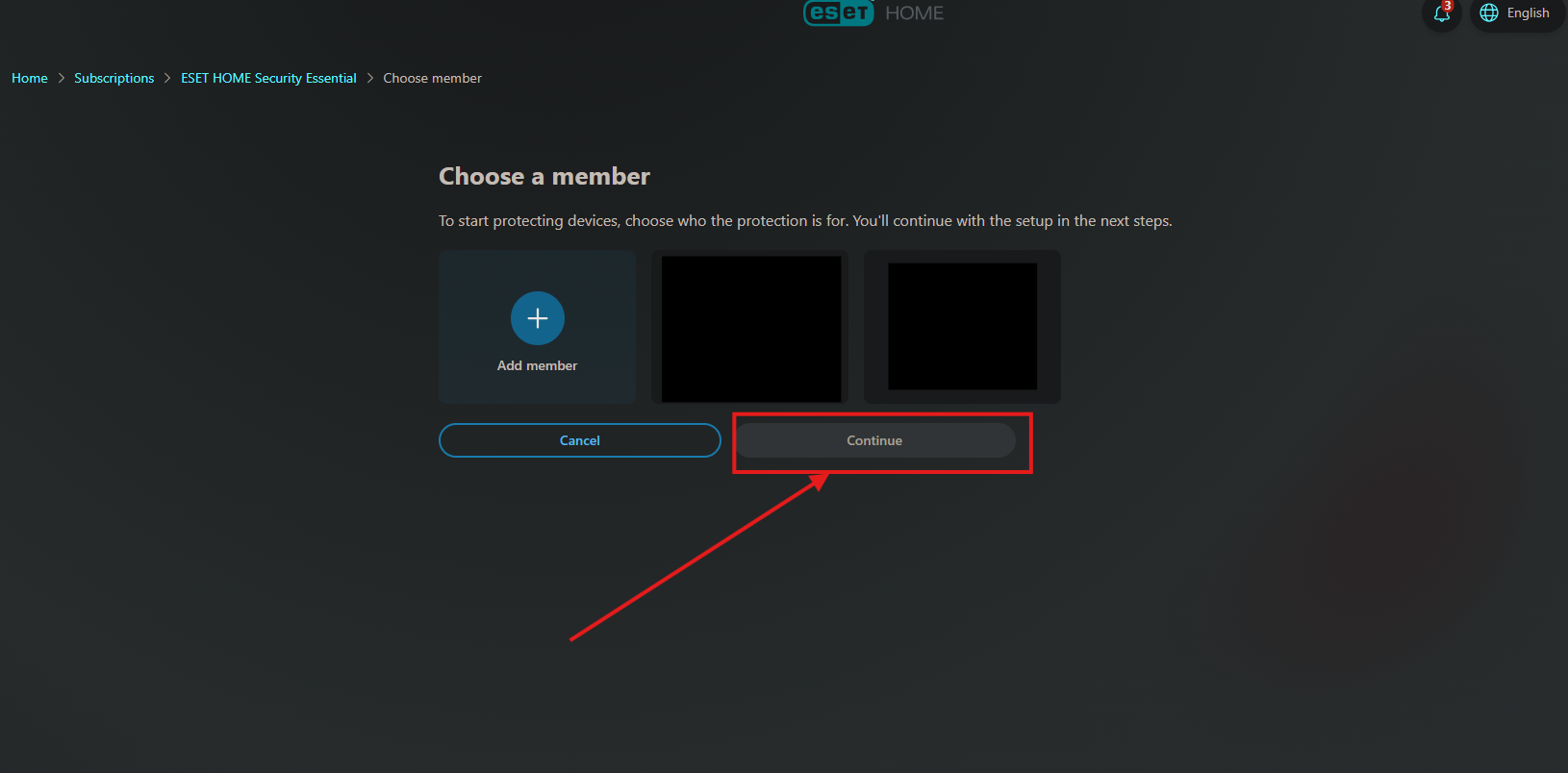
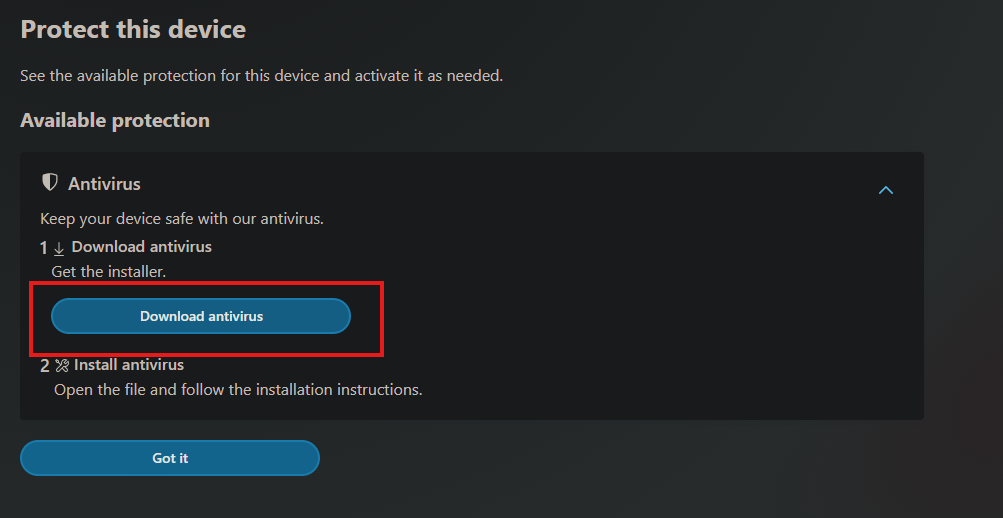
8. Click Download protection

9. Open the download, select Continue to start, and click "I Accept" on the license terms window.


10. Move through the screens in the installer, and once you are finished, ESET will open, do its first update, and run its initial scan.
Activated Licenses
1.If you already activated the subscription beforehand, in the subscriptions menu, click Open subscription under the one you want to install: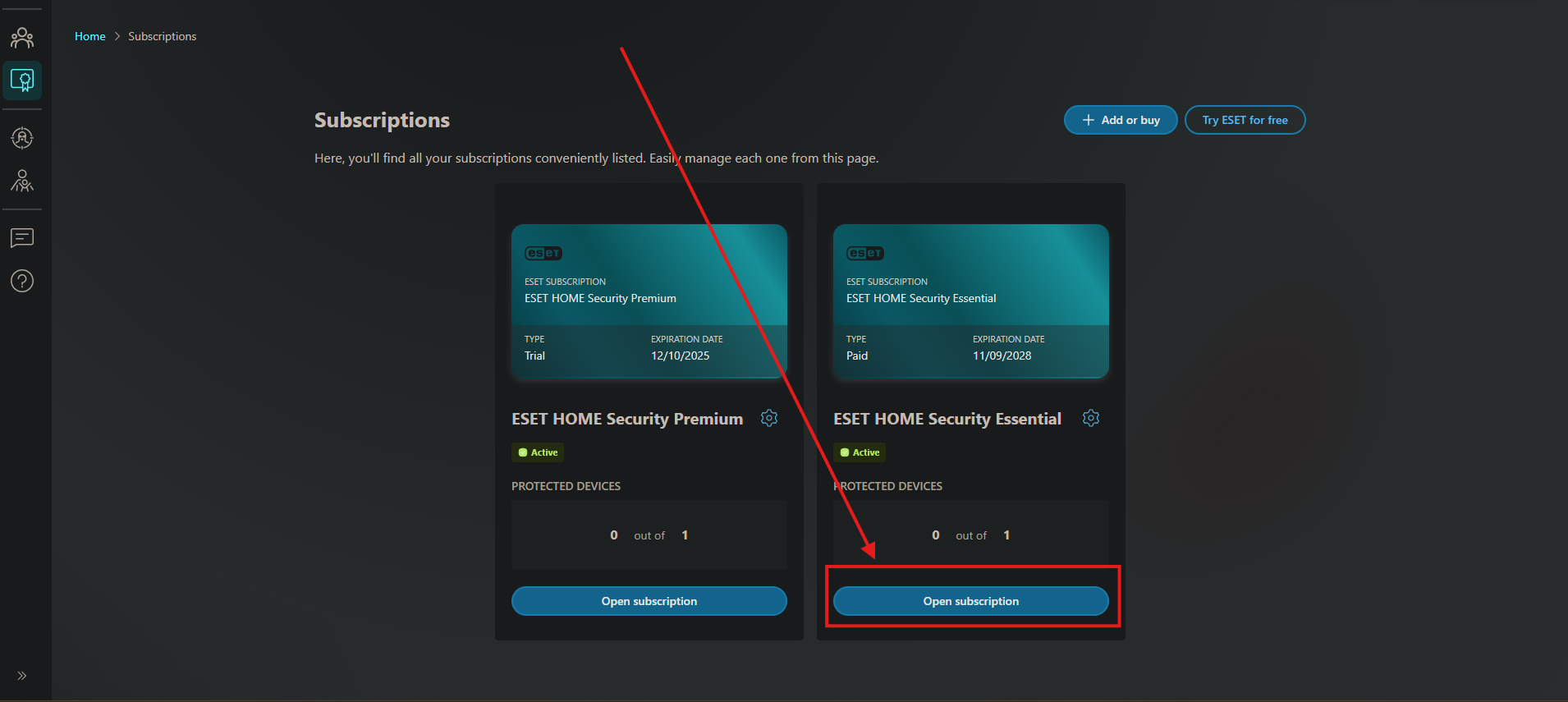
2.Click add protection
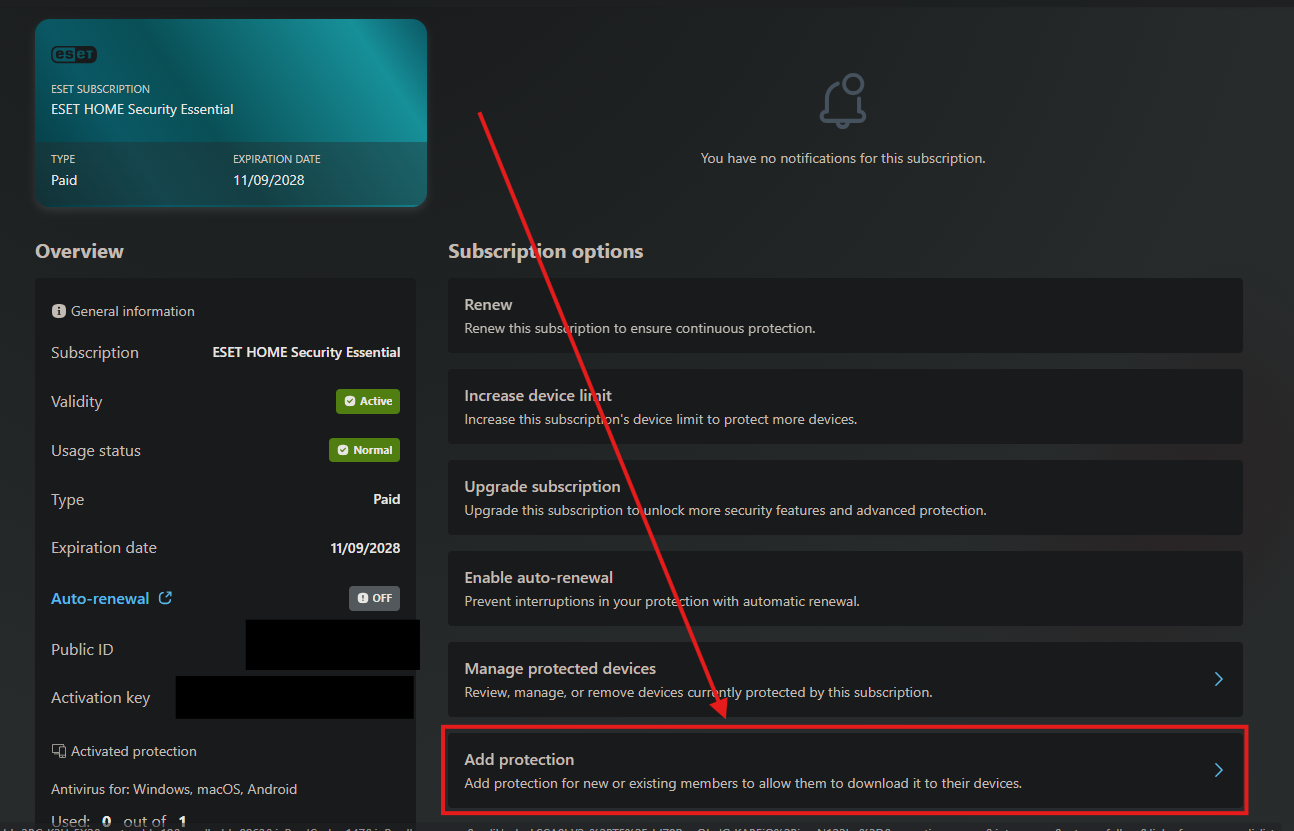
3.Choose who you want to add the protection to, or add a member, then click continue:
4.Click Protect this device:
5.Click Download antivirus
6.Open the download, select Continue to start, and click "I Accept" on the license terms window.
Move through the screens in the installer, and once you are finished, ESET will open, do its first update, and run its initial scan.
ESET will already be set up to scan on a schedule. Unless you have specific needs, you are good to go!