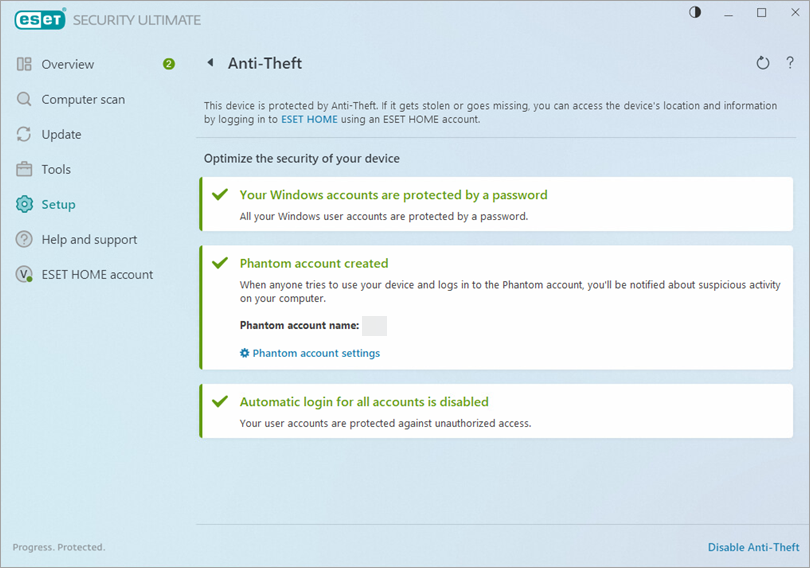
Activate Anti-Theft and create a phantom
-
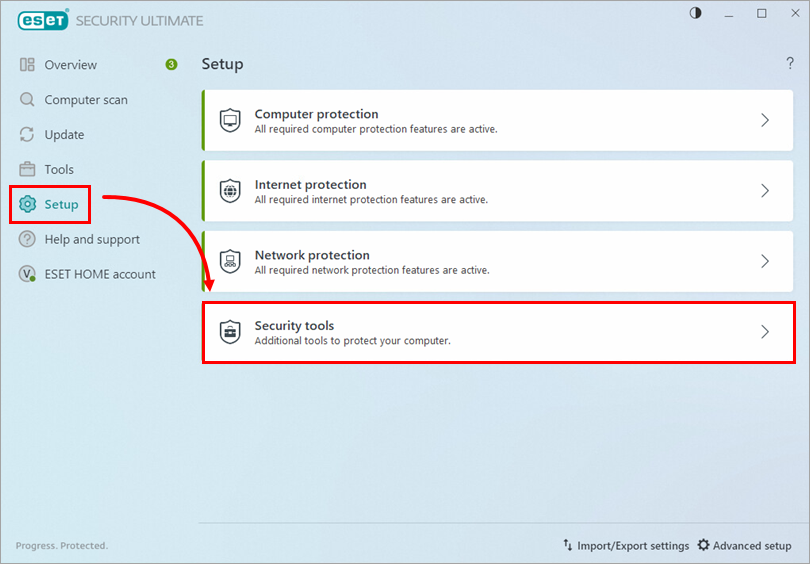
Click Setup → Security tools.
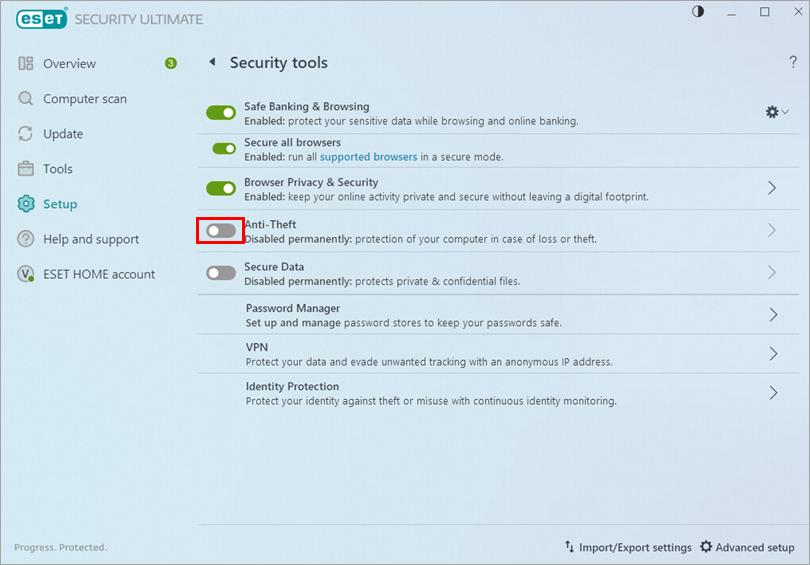
- Click the toggle next to Anti-Theft to enable it.
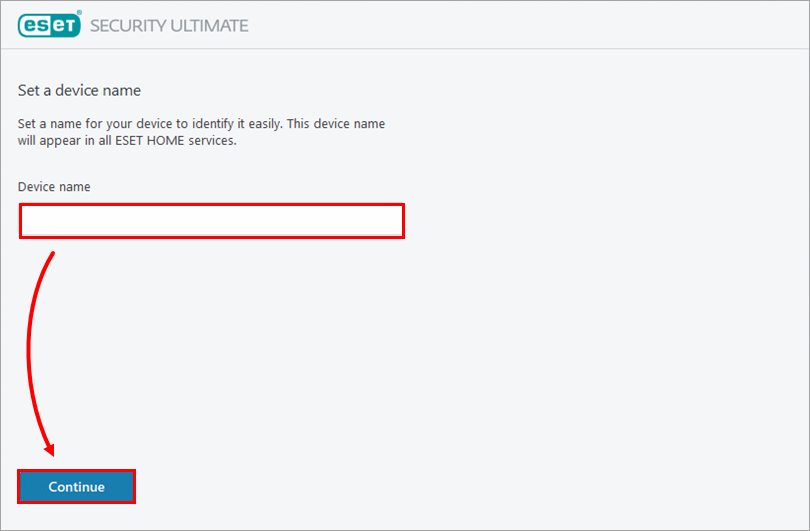
- Type a name for your device and click Continue. If you have not connected your ESET HOME account, type your email address and password and click Log in.
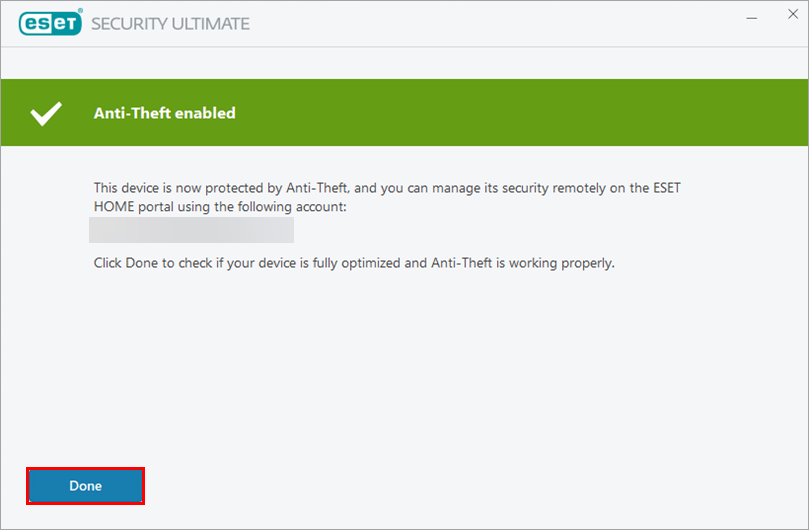
- Click Done.
-
Anti-Theft is now enabled on your device. You can access your Anti-Theft account on the ESET HOME portal.
________________________________________________________________________________________________________________
Create a Phantom account
- Open the main program window of your Windows ESET product.
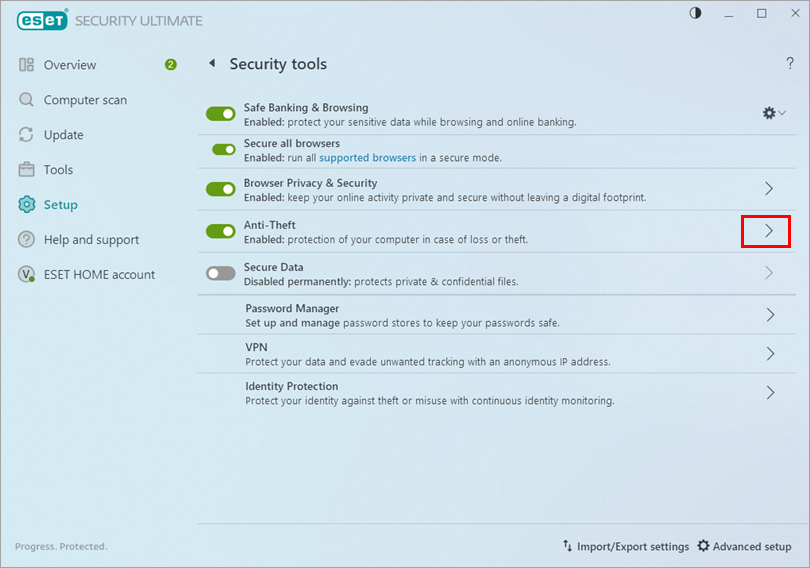
- Click Setup → Security tools.
- Click the arrow next to Anti-Theft.
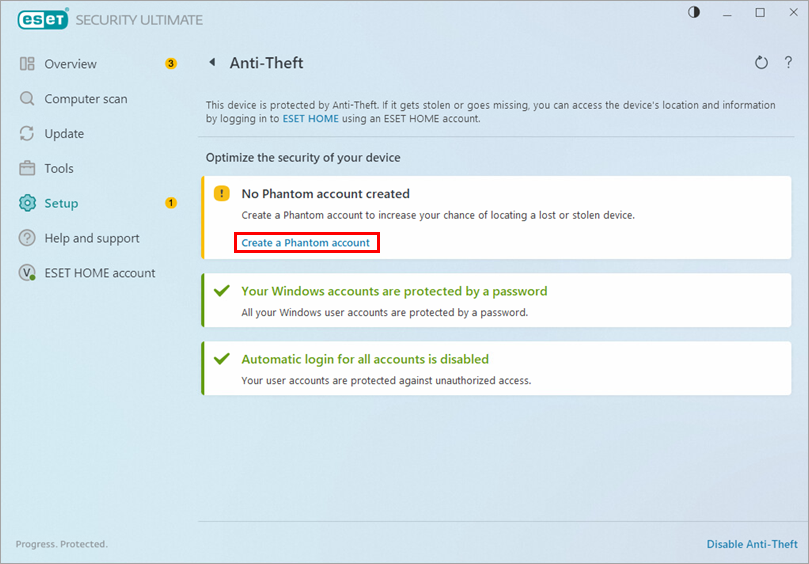
- Click Create a Phantom account.
- Type a name for your Phantom account. We recommend using your first name or your full name. Click Create.
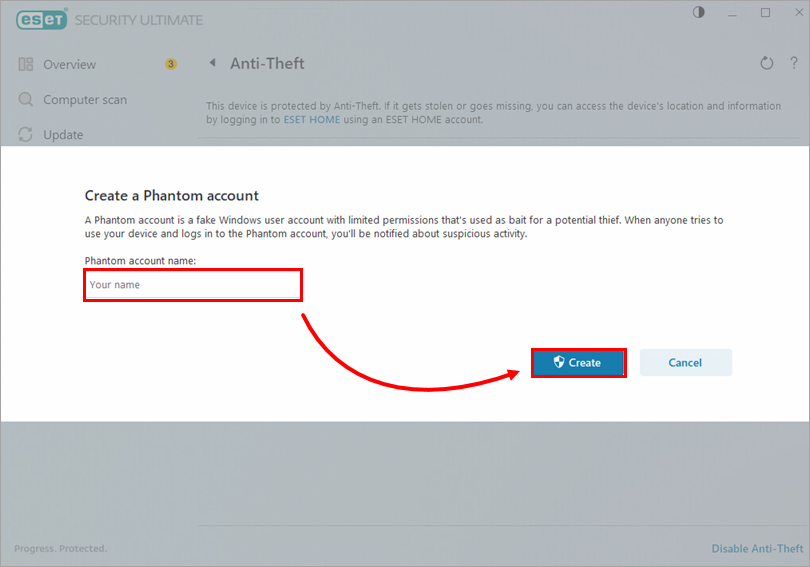
- Your Phantom account has been created.